Spring Chunky Frame: A Versatile Tool for Creative Workflows
The Spring Chunky Frame is a unique design element that adds visual interest and structure to a wide range of creative projects. Its bold, textured appearance makes it ideal for enhancing layouts, adding dimension, and creating focal points in both physical and digital formats. Whether you're working on a handmade card, a scrapbook page, or a digital design, the Spring Chunky Frame offers a professional look that can elevate your work without requiring complex techniques.
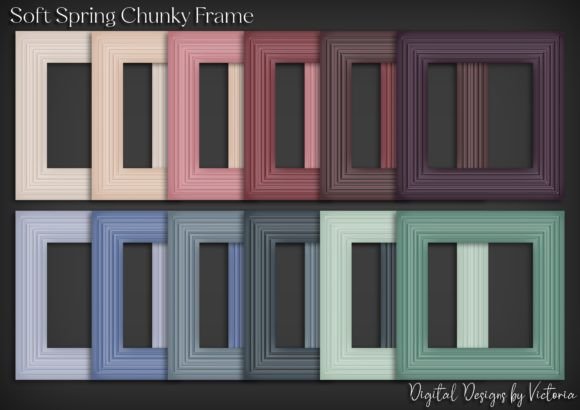
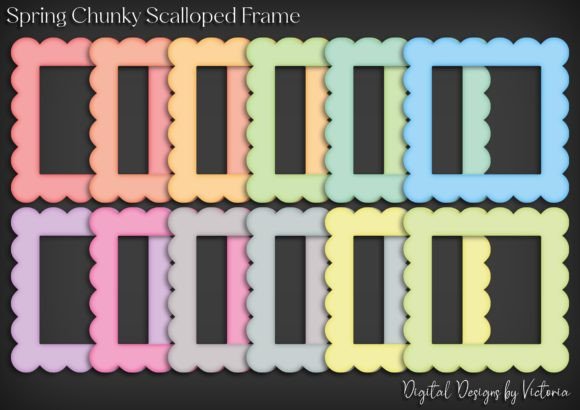
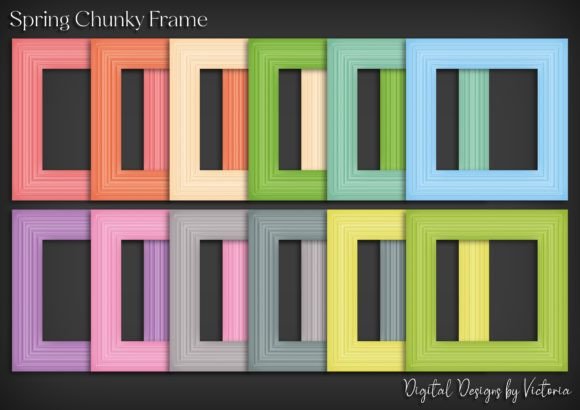
This collection includes 12 PNG images, each featuring the Spring Chunky Frame on a transparent background. The high-resolution format ensures clarity and detail, making it easy to scale and print without losing quality. Each image measures approximately 6 inches, providing a consistent size that fits well into various project types.
Integrating Spring Chunky Frame into Your Creative Process
Understanding where and how to use the Spring Chunky Frame can help you streamline your creative workflow. It’s not just a decorative element—it can serve as a structural component that guides the viewer’s eye and adds depth to your designs. Here are some practical ways to incorporate it into your process:
- Before a Project: Use the Spring Chunky Frame as a reference when planning layouts. Its shape and texture can inspire color schemes, composition choices, and overall design direction.
- During a Project: Place the frame over existing elements to test how they interact visually. This helps you make adjustments before finalizing your work.
- After a Project: Add the frame as a finishing touch to enhance the presentation of your finished piece, whether it's a printed card or a digital file.
Applications Across Different Projects
The versatility of the Spring Chunky Frame makes it suitable for a variety of creative tasks. Here are some common use cases:
- Card Making: Use the frame to highlight a central image or text, creating a polished and professional look. It works especially well for birthday, thank-you, or holiday cards.
- Scrapbooking: Incorporate the frame into pages to add visual interest and structure. Pair it with photos, journaling, and other embellishments for a cohesive layout.
- Journaling: Apply the frame to cover pages or key entries to create a personalized touch. Its chunky design adds a tactile element that enhances the journaling experience.
- School Projects: Students can use the frame to decorate reports, presentations, or art assignments, making their work stand out while maintaining a clean and organized appearance.
- Digital Card Kits: Include the Spring Chunky Frame in digital templates to give users a flexible and reusable design element that can be customized for different occasions.
Compatibility and Organization Tips
To get the most out of the Spring Chunky Frame collection, consider the following tips for organization and compatibility:
- File Management: Store the PNG files in a dedicated folder with clear naming conventions. This makes it easier to locate specific frames when needed.
- Software Compatibility: The transparent background ensures that the frames work well with most design software, including Photoshop, Canva, and Illustrator. Always check the export settings to maintain transparency.
- Color Coordination: Experiment with different color overlays or text to match your project’s theme. The frame’s neutral design allows for flexibility in color application.
- Printing Considerations: When printing, ensure that your printer settings are optimized for high-resolution images. This will preserve the quality of the frame and prevent pixelation.
Workflow Integration and Efficiency
Incorporating the Spring Chunky Frame into your workflow doesn’t have to be time-consuming. By following a few best practices, you can maximize its utility while maintaining efficiency:
- Pre-Planning: Identify potential areas where the frame could enhance your design before starting. This reduces the need for revisions later.
- Batch Processing: If you’re using the frames in multiple projects, apply them in bulk where possible. This saves time and ensures consistency across your work.
- Version Control: Keep track of different versions of your designs, especially when experimenting with frame placement or color schemes.
- Feedback Loop: Share your work with others to gather insights on how the frame affects the overall design. This can lead to more refined and effective use of the element.
Quality Control and Long-Term Use
Maintaining quality and consistency is essential when using the Spring Chunky Frame in long-term projects or recurring tasks. Here are some observations to keep in mind:
- Resolution Check: Always verify that the image resolution meets your project’s requirements. High-quality files ensure that the frame looks sharp at any size.
- Consistent Application: Avoid overusing the frame in a single design. Balance it with other elements to maintain visual harmony.
- Regular Updates: As your design style evolves, revisit how you use the Spring Chunky Frame. This helps you stay current and adapt to new trends or preferences.
- Backup Files: Keep copies of your original files to prevent data loss. This is especially important if you plan to reuse the frames in future projects.
Enhancing Creativity Through Structure
The Spring Chunky Frame serves as more than just a design element—it can also act as a framework for organizing ideas and visual components. In creative workflows, structure often leads to better outcomes. By using the frame as a guide, you can:
- Define Boundaries: Create clear sections within a layout, making it easier to navigate and understand.
- Highlight Key Elements: Draw attention to important parts of your design, such as a headline, image, or message.
- Build Visual Hierarchy: Use the frame to establish a sense of order, guiding the viewer’s focus through your work.
When used thoughtfully, the Spring Chunky Frame becomes an integral part of your creative toolkit, helping you produce more polished and intentional results.